Home Office Improvements That Support Better Focus
Home Office Improvements That Support Better Focus
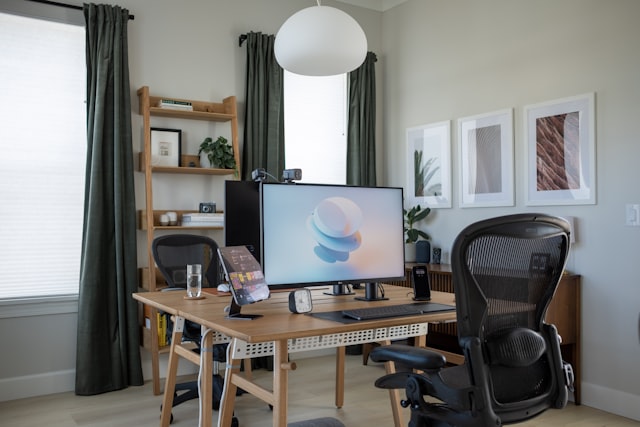
A practical look at how home office planning affects focus, operations, and smart home adoption.
Home Office Improvements That Support Better Focus
The problem usually appears slowly: the laptop is charged, the desk is clear enough, and the day still gets broken into fragments. A call runs long, a cable goes missing, and the room that was meant to support work starts behaving like storage with Wi-Fi. That is how a home office becomes a drag instead of a useful business asset.
For people managing client work, teams, or a small business from home, the issue is rarely motivation. It is planning. Weak layout, poor lighting, clutter, and unfinished technology choices create friction long after setup day. Focus is not just personal discipline; it is the result of systems that either help or interrupt.
The good news is that most offices can be improved without a major renovation. A few practical changes can make the space calmer, more professional, and easier to maintain during busy periods. When the room is shaped around the work, routine tasks become easier to start and easier to finish.
Small mistakes become expensive habits
A home office is more than a room. It is where communication gets routed, decisions get made, and work either moves cleanly or keeps getting restarted. When the space is improvised, every task takes longer than it should. You spend extra time searching for chargers, reconnecting devices, or shifting between surfaces that were never meant to support real work. At that point, many teams begin comparing modern living ideas based on how they actually perform day to day.
The bigger problem is the downstream cost. A poor setup may look manageable at first and then become expensive after onboarding: duplicate monitors bought in haste, network gear that cannot handle video calls, lighting that makes meetings look unprofessional, and furniture that causes discomfort by midafternoon. The result is not just reduced focus. It is rework, replacement spending, and slower execution.
There is also a reputational angle. For anyone joining calls with clients, vendors, or internal teams, the office becomes part of the message. Poor audio, visible clutter, or awkward camera angles can make a capable operator seem less prepared than they are. In business, people notice reliability in small signals before they see the full process behind them.
When the room works well, it supports consistency. That consistency is what makes a home-based workflow feel credible over time, especially when the work involves planning, approvals, coordination, or other tasks where mistakes are easier to prevent than fix.
The decisions that keep a room from fighting back
Before buying more equipment, it helps to identify the failures that usually create the mess. The best improvements remove friction, clarify the workflow, and make the room easier to reset at the end of the day.
1) Layout is an operations choice, not decoration:
The desk should support the work, not just fit the room. If the chair blocks storage, the monitor sits too low, or the most-used items are across the room, the office keeps forcing small corrections. That constant movement looks harmless, but it interrupts concentration.
A workable layout usually separates three zones: the primary work surface, the utility area for charging and printing, and a low-traffic zone for supplies or equipment used less often. When those zones collapse into one another, the room becomes visually busy and mentally noisy.
This matters even more in smaller spaces, where every item has to earn its place. Foldable surfaces, wall storage, and compact organizers are useful only when they reduce steps rather than add them.
2) Smart features only help when they solve a real task:
This is where smart home adoption either helps or becomes another layer of clutter. Automated lighting, voice control, and app-connected devices can save time, but only if they reduce repeat actions. If a device needs regular troubleshooting, another login, or a habit you will not keep, it becomes one more thing to manage.
Used well, smart features can smooth the handoff between work modes: lights that adjust for calls, plugs that cut power after hours, temperature control that keeps the room usable, and reminders that reduce the chance of leaving equipment running. Convenience only counts when it is reliable.
A practical rule is to prioritize automation around predictable moments: starting the day, joining meetings, and shutting down. Those are the places where repetitive actions create real waste.
- Automate the routine, not the rare exception.
- Choose devices you can explain to someone else in one sentence.
- Avoid tools that need constant app switching to do basic work.
3) Buying gear before the workflow is clear:
The most common mistake is starting with products and ending with a workaround. People often buy a standing desk, a second screen, and a smart speaker before deciding where calls happen, where documents are stored, or how much uninterrupted desk time they really need. Then the room gets built around assumptions instead of actual use.
That is where expensive downstream problems begin. New purchases create visible progress, but the hidden cost is the mismatch between equipment and workflow. If you cannot describe a typical hour in the space from start to finish, the office is not ready for a shopping list. It is ready for a plan.
The best setup is rarely the one with the most equipment. It is the one that matches the rhythm of the day: focused work, meetings, short resets, and end-of-day shutdown.
A cleaner path to a room that holds attention
The fix is not to turn the home office into a showroom. It is to build a space that removes avoidable decisions and keeps the work visible. This is usually where buyers start looking at smart home solutions more carefully in real-world conditions.
Start with the smallest changes that reduce the biggest points of friction. In many cases, the first gains come from placement, cable control, and more reliable routines rather than replacing everything in the room.
- Map the daily sequence. Write down what happens in the first 90 minutes of work, the most common meeting setup, and the end-of-day shutdown. Then place furniture, power, and storage around that sequence instead of around the room shape.
- Standardize the technology. Use the same charging method where possible, keep cables labeled, and make sure internet, audio, and lighting work without a rescue mission. If a device needs frequent adjustment, it is not supporting focus; it is consuming it.
- Test the room during a normal workload. Spend a full day using the office as it will be used after onboarding, not as it looks when everything is new. Notice where attention breaks, where noise enters, and which items keep getting moved by hand.
- Build in a reset routine. A five-minute shutdown at the end of the day can clear surfaces, return devices to charging, and make the next morning easier to start.
- Review the setup after a busy week. The best test is not a quiet afternoon but a stretch of real work with meetings, deadlines, and interruptions. Adjust the room based on what actually slowed you down, then leave the rest alone.
Focus is a systems problem disguised as a personal one
A lot of home office advice treats concentration as if it were only about discipline. That misses the practical reality. In business operations, attention is usually protected by repetition, predictability, and a setup that lowers the number of choices a person has to make. The room should carry some of that burden.
There is also a trade-off worth naming. The more automated and connected the space becomes, the more important it is to keep it simple enough to troubleshoot. A highly tuned office can save time, but only if the owner understands what each part does and can work without it when something fails.
That is why practical technology planning matters so much in a home-based business environment. The goal is not to chase novelty. It is to create a dependable operating space that supports focus today and remains adaptable as work changes. Smart home tools belong in that picture only when they support consistency.
Seen that way, the office becomes a quiet part of the business infrastructure. It does not need to be impressive. It needs to be steady, easy to maintain, and ready for the next workday without demanding a reset.
A room that helps you think is not an accident
The best home office improvements are usually the least dramatic ones: better placement, cleaner power, fewer steps between tasks, and technology that fits the work instead of announcing itself. Those changes do not feel exciting at purchase time, but they keep paying off after the first month, when the work gets repetitive and the surprises begin.
That is the real measure of a useful home office. It does not ask for attention every hour. It lets the work keep moving. And when the space is planned with business operations in mind, smart home adoption becomes part of the workflow rather than a hobby project that competes with it.