Small Smart Home Changes That Make a Big Difference
Small Smart Home Changes That Make a Big Difference
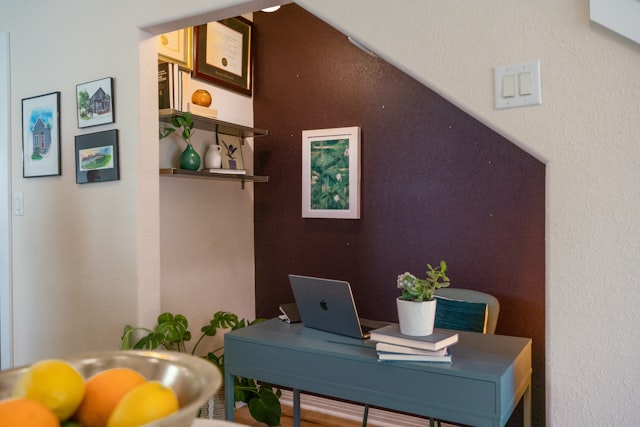
Practical smart home upgrades that improve daily living, tighten oversight, and reduce wasted effort.
Small Smart Home Changes That Make a Big Difference
Smart home planning often starts with big promises and ends with small operational friction. A device arrives late, an app gets forgotten, and setup slips into “later,” leaving more oversight than relief. In a business setting, that drift matters because each delay adds another handoff and another blind spot.
The most useful upgrades are rarely the flashiest. They are the ones that reduce downtime, cut reporting friction, and make everyday use more predictable. That might mean better lighting in a home office, a thermostat schedule that actually matches the household, or a few sensors that prevent repeated checks.
Practical technology adoption works best when it targets ordinary pressure points. If a household is already juggling remote work, shared schedules, or frequent deliveries, the right upgrade should remove steps rather than add them. A modest improvement that saves a few minutes each day can outperform a complex system that looks impressive but rarely gets used.
Why the modest fixes usually pay off first
Many smart home setups get judged like product launches, but most households do not need a launch. They need coverage. A good system reduces the number of times someone has to stop and check a door, adjust a setting, or troubleshoot a device that drifted out of sync.
For households that also rely on digital workflows, the difference shows up quickly. Fewer manual checks mean fewer interruptions. Better automation means fewer reporting gaps when something goes wrong. And when one person is not carrying all the oversight, handoffs between family members, roommates, or property managers become cleaner.
Small upgrades are also easier to evaluate. You can tell whether a motion light reduced nighttime errors, whether a smart plug lowered wasted runtime, or whether a better hub reduced app confusion. That makes accountability clearer and keeps the setup from becoming a pile of tools no one trusts.
The business growth angle is simple: efficient systems create room for better work. When daily maintenance gets lighter, people can focus more on planning, communication, and follow-through. That matters in a home office, a rental property, or any environment where a system failure turns into a time drain.
What to check before you add anything new
Before buying another device, look at how the home actually runs. The weak point is usually not the product itself. It is the gap between intention and execution. Good planning closes that gap by making sure each upgrade fits the way people already move through the space. This is usually where buyers start looking at energy efficiency upgrades more carefully in real-world conditions.
Compatibility matters because disconnected tools create extra admin. If one app handles lighting, another handles climate, and a third handles security, the system may work technically while still feeling fragmented. The more places people have to check, the less likely they are to trust the setup.
Start with routines, not the product list:
A smart home upgrade should map to an existing routine: leaving for work, closing up at night, handling deliveries, or keeping a home office stable during long calls. If the routine is unclear, the automation will be too.
It also helps to start with the task that causes the most repeated effort. A hallway light adjusted every evening may deserve more attention than a rarely used feature. Choosing the most repetitive task first gives a clearer return and a better sense of whether the system is worth expanding later.
Make sure the system can be maintained:
A device that works once and then gets ignored is not an upgrade. Check whether the system supports easy reporting, straightforward app access, and clear alerts when something fails. If a light, camera, or thermostat needs constant troubleshooting, convenience quickly turns into another form of downtime.
Maintenance also includes ownership. If only one person knows how to reset the hub or adjust the schedule, the household is still exposed to avoidable delays. Shared access, simple labels, and a short note on what each device does can prevent confusion later.
- Look for devices that work with the systems you already use.
- Avoid tools that require constant manual resets.
- Choose alerts that are readable, not noisy.
- Prefer settings that can be checked quickly from one place.
Do not automate a problem you have not measured:
Do not assume automation will fix a bad habit. If the porch light is left on because nobody knows who is responsible, a smarter switch will not solve the accountability problem by itself. It may even hide it.
The same logic applies to climate control, security alerts, and shared devices. If you do not know how often the issue happens, you cannot tell whether the upgrade helped. A quick baseline, even if informal, makes it much easier to compare before and after.
A simple rollout that avoids chaos
The cleanest smart home changes are usually phased in. That keeps the setup from turning into a weekend project that overruns the schedule and leaves half the house in partial coverage. At that point, many teams begin comparing smart home planning ideas based on how they actually perform day to day.
The goal is not the biggest system first. It is one dependable improvement, verified under normal conditions, before any next layer gets added. That approach reduces wasted effort and makes each decision easier to justify.
- Pick one recurring pain point and name it clearly. Examples include wasted heating in one room, late-night lighting issues, or repeated checks on doors and windows.
- Choose a single upgrade that solves that pain point with minimal setup. One reliable device often beats three loosely connected ones.
- Test it for two weeks and watch the actual behavior, not the marketing promise. If the change reduces manual work, keep it.
- Document the settings that matter. A short note on schedules, access, and alert preferences makes maintenance easier later.
- Review the result in the context of daily routines. If the upgrade saved time, reduced interruptions, or made handoffs smoother, it has earned its place. If not, move on.
The real value is in better coordination
The strongest setups are not about filling the house with connected products. They are about coordination. A thermostat that follows the schedule, lights that behave predictably, and a few automations that reduce repeat tasks can change how a space feels to use.
There is also a business lesson here: good systems reduce dependence on memory. They create cleaner reporting, fewer oversights, and less cleanup after a missed step. That is why modest upgrades can matter beyond utility bills. They remove small frictions that drain attention and make the whole setup easier to trust day after day.
Over time, the best are the ones that support decision-making instead of distracting from it. When the system is calm, predictable, and easy to check, people stop thinking about the technology and start benefiting from it.
Small upgrades, fewer interruptions
The smartest home changes are often the least dramatic ones. A better schedule, a more reliable sensor, or one well-chosen automation can remove enough friction to matter every day.
If the goal is smoother living and better execution, start with the spots where the system slips: the room that stays too hot, the light that gets left on, the routine that depends on memory. Those are the places where a small fix can cut delay, improve accountability, and make the home easier to run without turning it into a full-time project.